Thank you to Bing for sponsoring today’s discussion! I’m proud to support #adfreesearch in schools. All opinions are my own.
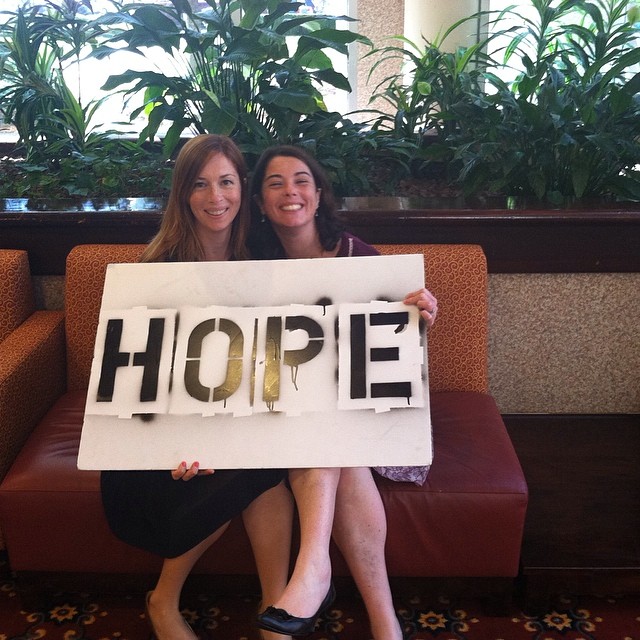
As a parenting blogger and social media consultant, I am often asked by local non-profits to speak to families about Social Media and Internet usage among children and youth. This past week, I was honored to host two such workshops for the NYS Office of Mental Health’s 20th Annual Symposium for Children’s Mental Health.
The first workshop was hosted with my sister, Daniele, and focused on “The Importance Of Togetherness” for today’s modern families. We shared an incredible amount of information with the parents about why it’s important to spend quality time together with our children and also touched upon the negative affects that Nature Deficit Disorder is having on our children. The workshop also included a discussion of free places they could take their families to “Go Outside” on Long Island. It was really lovely to present a workshop alongside my sister.
The second workshop was called “Social Media: What Helps, What Harms” and is more relevant to today’s conversation about Bing in the Classroom. I presented this workshop with one of my coworkers and a panel comprised of three youth from our Girls Group. (I work for a non-profit that raises awareness for children’s mental health.) This workshop tackled important questions about how social media can be both a positive and negative experience for our children and youth, how much screen time they should have, how to monitor what they’re being exposed to online, and how to talk to their kids about online safety. We also encouraged parents to help their children see how social media could be used for good and how it could also help them land a job in the future.
And this is how we get back to talking about Bing in the Classroom. You see, Bing gets it. They know that as parents, we worry (constantly) about what our children are seeing (and doing) online. We’re especially worried when they’re at school. With easy access to computers, and adult content everywhere, how can parents feel safe and support the increased use of technology in the classrooms if we’re always so worried about what might “pop up” online.
Apparently, we’re not the only Moms who think about this…listen to new Mom, Jenna Bush-Hager talk about Bing’s #adfreesearch and being nervous about what types of things might pop-up…
About Bing In The Classroom: Safer Search Protects Our Kids
Well, teachers and parents can feel more at ease now that they have access to #adfreesearch with Bing in the Classroom. With this new controlled search environment, all advertising is removed from the Bing search page*. There are also strict filters for adult content and enhanced privacy protection. As a parent, this makes me very, very happy. I imagine that this also is a huge sigh of relief for all of the teachers out there, who are struggling with large class sizes, because #adfreesearch will help them ensure that their students are being safer online. (FYI: Bing the only major search engine to provide a search offering tailored specifically for the classroom.)
You can learn more about Bing in the Classroom by watching the video below or clicking here.
*Please note: As a part of the program, all searches performed with Bing in the Classroom will be ad free, however, websites discovered and visited via search will still provide ads. Students will not be served ads in the Bing experience.
Bing Rewards Help You Support Your School
Not only does Bing offer #adfreesearch, but they also help you support your child’s school. The Bing Rewards program enables people to earn credits towards Microsoft Surface tablets(!!) for a school of their choice by simply signing up and searching with Bing! As you all know, Daniele and I love helping teachers (because they help our kids!!), so this is another really fantastic two thumbs-up for Bing in the Classroom.
How To Sign Up For Bing Rewards
“To begin supporting your child’s school with Bing Rewards, simply visit the campaign landing page and select “Find your school” map in the lower right corner of the page. Next, enter your school’s zip code and select the name of your school via the dropdown menu and select “Find”. From here, select the “Support Your School” section and click on the “Try it now, FREE!” section. You’ll be prompted to create a Microsoft account, or sign in with your Facebook account. All you have to do is stay signed in as you search with Bing to earn credits.”
So, I’m curious…are any of your school using #adfreesearch with Bing in the Classroom yet? Have any of you signed up for Bing Rewards? We think this is a really neat way to help support our schools, and we want to know your opinions as well!
Thanks for reading,
Denine
0
I like their search engine anyhow, but with this program in schools, I like it even more.
I love that they have no advertising! My kids get distracted very easily!
I hear you! If my kids see an ad, they’re like “Oh, wait! What IS that?” 🙂 Denine
I love this! My son starts middle school in August at a private school and they are required to have an iPad, but I’m not sure if they are using Bing. I’ll be talking them in a couple of weeks and I’ll find out or see if they know about this.
I didn’t know anything about it either until recently. I think it’s really terrific. I am going to ask their technology teacher is they’re using it…Denine
It is amazing how much technology is in the classrooms these days. Its a good thing- but learning has certainly changed.
I’m not sure how old you are, but when I was a kid, the computers were ginormous and we were only allowed to played Oregon Trail… 😉 Denine
I love using Bing when searching for my boy’s assignments. It is so much nicer knowing I don’t have to worry about what they might run across online.
Unfortunately, the internet can be a scary place. I speak at conferences about social media usage to parents on Long Island and I always remind them that the internet is good AND bad…which is why they need to be involved…
Ad-free IS the way it should be for kids. Love Bing! And I really REALLLLLY love that HOPE painting at the top! 🙂
Thanks Lisa, One of our friends, Desiree, runs an instagram feed where she asks good-do’ers in the community to pose with it. It’s really neat – and we were honored that she wanted us to be a part of it. 🙂 Denine
Ad Free, Safe Searching in the classroom is such a great idea. I really like that Bing is providing this option to schools
I think it’s super too. But to be honest, I didn’t even know this was an option. I need to talk to our school and see if they’re implementing it yet! Denine
Love, love, love the ad-free search.
I do too. Denine
I like the ad free search especially in the classrooms. I wish all of us could turn off ads when searching!
I know! Wouldn’t it be great if we had that option at home? Denine
I have never used Bing, but maybe it’s time to check it out.
My husband uses it all of the time at work…I might need to try it myself if they’re helping to support our schools. Denine
Apparently I have been living under a rock!
I haven’t even heard of bing.
Will have to take a second peak and find out what bing rewards are!
Bing Rewards are great – you can help your school of choice win Surface Tablets! Denine